Layout
Dashboard background templates
Start from layouts designed for executive summaries, KPI pages, analysis views, and section-based report pages.
 Power BI Design Studio
Create professional Power BI dashboard backgrounds and branded report layouts faster, without rebuilding every shape, section, and container inside Power BI.
Use quick-start layouts, grid alignment, branded colors, reusable project files, and export-ready PNG backgrounds to give Power BI report pages a cleaner foundation before visuals are added.
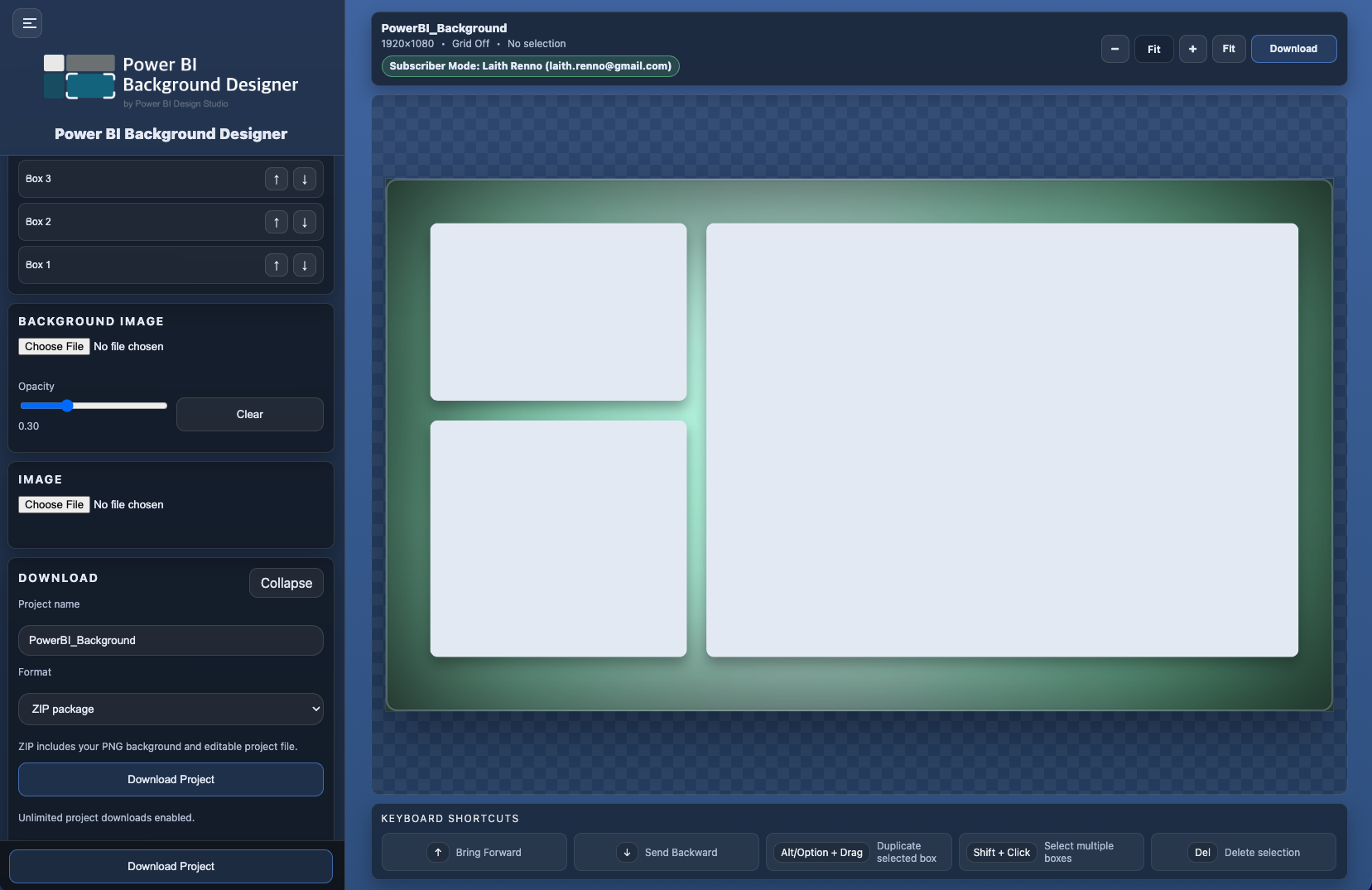
Report background design can become repetitive when every section label, KPI container, chart region, and border is created manually. Power BI Background Designer gives you a focused design canvas for building the report background first, then downloading it for use in Power BI.
Power BI Background Designer is built for practical report layout work: cleaner pages, more consistent spacing, and reusable branded backgrounds.
Start from layouts designed for executive summaries, KPI pages, analysis views, and section-based report pages.
Build consistent Power BI report backgrounds with branded colors, section containers, rounded panels, dividers, and spacing controls.
Download a PNG background for your Power BI report page and keep the reusable project file for later updates.
Power BI Background Designer creates dashboard and report page backgrounds that can be downloaded as PNG files and used behind visuals in Power BI reports.
Yes. The app supports reusable project files so you can return to a layout, update it, and download a new project background when needed.
Yes. Trial mode includes 3 project downloads before a subscription is required for unlimited project downloads.